3.9
Free
Inkscape
A program for creating and editing graphic vectors with simplicity
.png)
GIMP free download. Always available from the Softonic serversGIMP free download. Always available from trusted servers.
View an ad to download for free
From Softonic servers
Free
A program for creating and editing graphic vectors with simplicity

Free
Overview of Portable GIMP for Windows

Free
Transform Your Desktop with Gravit Screen Saver

Trial version
Take complete control of your photo editing
Trial version
Create stunning images
Free
Make The GIMP look like Adobe Photoshop
Free
Windows
Windows 11
2M
188.13 MB
Easy-to-use free CAD application

A creative tool for illustrators
A program for creating and editing graphic vectors with simplicity
The CAD Software You’ve Been Waiting For

Free and powerful 3D modeling tool
Professional Title Design Tool

Rocrail: Free Graphic & Design Software for Windows

Versatile 3D/2D CAD Software for Engineers
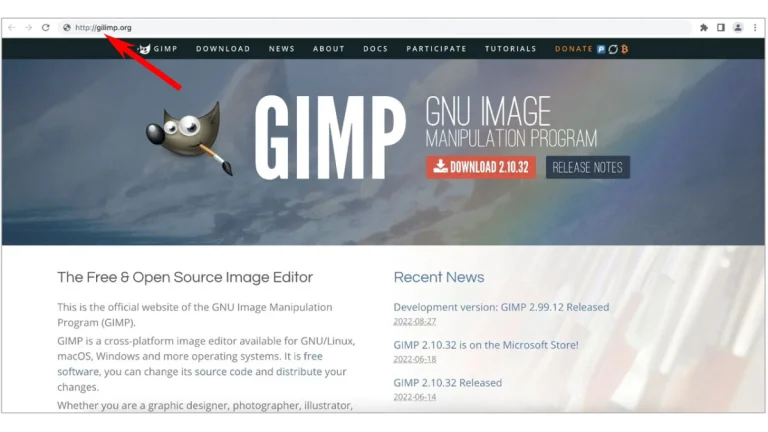
GIMP (short for GNU Image Manipulation Program) is a piece of art software designed to offer a wide range of functions combined with a simple, intuitive interface. This means that it is accessible to people who are just starting out with digital art, while also having something to offer more experienced users.
Yes, GIMP is entirely free to download and use. This is an advantage that it has over industry standard art software such as Photoshop, which often have substantial price tags. In addition, GIMP is an open-source program.
Yes, it is possible to use GIMP to make simple animations. This can be achieved by placing each individual animation frame into a separate layer; the program allows the user to then play the frames as an animation, with an adjustable delay between each image.
Yes. As GIMP is open-source, numerous enthusiasts have made derivative software based on the original program. These include CinePaint, which is used for retouching film; GimPhoto, which bases its interface around Photoshop; and GIMP Portable, which is designed to work as a portable application.
The most immediately obvious difference is that the two programs have quite distinct interfaces, and anybody used to one will take time to get used to the other. Beyond this, the two share many of the same features, including the more specialised tools. Professional users should lean towards Photoshop, the industry standard, but the free GIMP is perfect for anybody on a budget.
No. GIMP is a raster editor and does not handle vectors; anybody planning to create vector art should try a specialised program such as Illustrator. It is also unable to handle 3D images; this is an area where Photoshop, which holds limited 3D capabilities, has an edge.
GIMP is updated irregularly, and often goes for multiple years without an update. As noted above, however, the program is open-source and so some users have created updates and derivative programs of their own.
GIMP is available for Windows, Mac OS, Unix and Linux. The main program is not available for mobile devices, although certain users have created Android and iOS programs based on GIMP's open source code.
GIMP is capable of handling almost every image file type, including all of the popular choices such as JPG, GIF, PNG and so forth. It can access PSP files created in Photoshop, and can even be used to put together PDF files. It also has its own native file type, XCF.
When downloaded from the official website, GIMP will be safe and free of viruses. However, as with all free software, users should be careful downloading from third-party sites, as the downloads may contain malware.
A powerful cloud-based design tool for collaboration

3D modeling software for all

Advanced 3D modeling with Autodesk 3DS Max

Open-source desktop publishing app

Free 3D model editor

Comprehensive 3D CAD Software for Designers

Comprehensive Kitchen Design Software
Versatile 3D/2D CAD Software for Engineers

Comprehensive Design Software for Product Development

Transform Faces with FaceMorpher Multi

Innovative 3D Floor Plan Creation Software

Interactive Interior Design with VoxBox